Excel or CRM? When customer management software is worth it
Excel is great. It's flexible, almost everyone can use it, and it costs nothing extra. For many small businesses, a customer list in Excel is exactly right.
But at some point it stops fitting. Here's when Excel is enough – and how you'll know it's time for more.
When Excel is perfectly fine
- You work alone or with one other person.
- You have a manageable number of customers.
- Enquiries come through one channel, usually the phone.
- A job has a few steps that are always the same.
Then: stick with Excel. Honestly.
Six signs Excel is no longer enough
1. Several people edit the same file
"Who has the latest version?" If that question comes up a lot, you have a problem. Excel isn't built for a team working on it at the same time.
2. Enquiries come through many channels
WhatsApp, phone, email, website form, Instagram. If every enquiry has to be typed into the list by hand, sooner or later one gets forgotten.
3. You don't know which job is where
Excel shows data, not a process. Which quotes are open? Where are materials missing? What's been invoiced? That stays in someone's head – or on paper.
4. You search more than you find
Three sheets, two files, a few notes on your phone. When finding a phone number takes longer than the call itself, it's time.
5. The numbers are never current
You only know revenue and profit when your accountant gets in touch. A system that adds up income and expenses continuously shows you that every day.
6. You're afraid of losing the file
A file on a laptop without backup is a risk. One wrong click, one broken computer – and years of customer data are gone.
Switching without starting over
The good news: your Excel data isn't lost. With Ouceal's customer management, we import your customer lists from Excel or CSV during setup. You start with your data – just better organised.
The system includes what a small business needs:
- Enquiry pipeline as a kanban board
- Customers and jobs with workflow steps
- Finance overview with income, expenses and profit
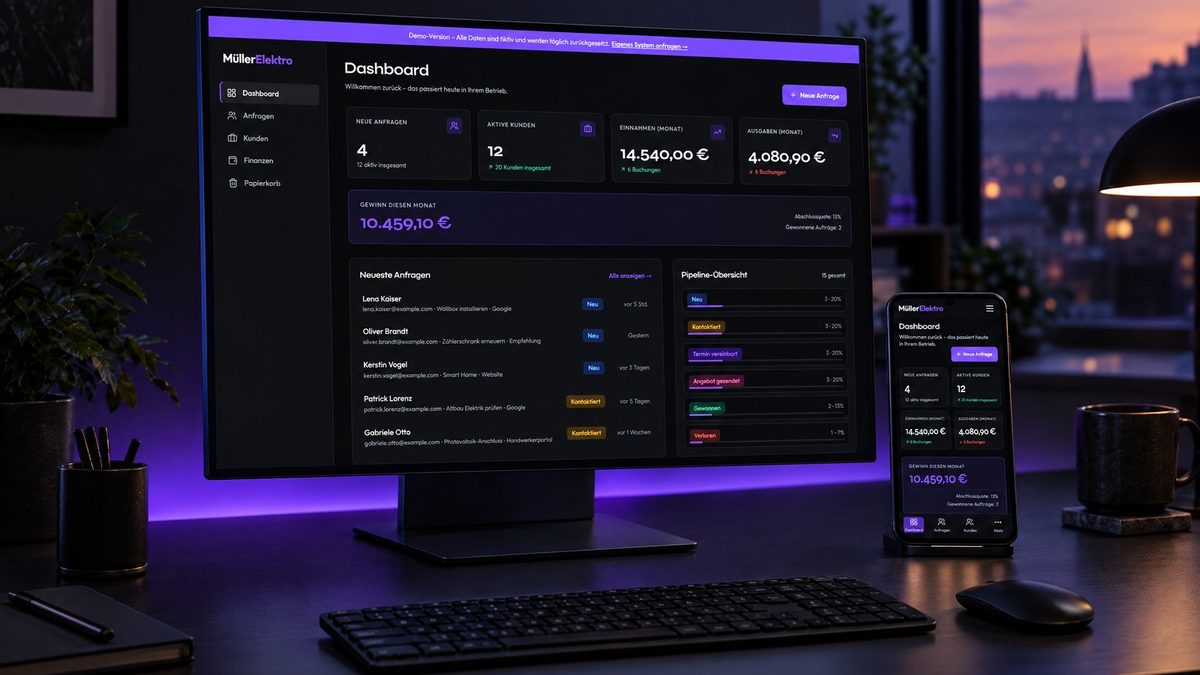
- Dashboard with everything important at a glance
- Automatic backups on servers in the EU
Have a look: live demo at demo.ouceal.com.
What it costs
From €2,500 one-off for setup, customisation and data import, plus from €49 a month for hosting, maintenance and backups. No per-user fees. Full details: How much does a CRM cost for a small business?.
Bottom line
Excel is a good tool – until your business outgrows the spreadsheet. When several people use it, enquiries get lost or you don't know which job is where, customer management stops being a gimmick and becomes order. More about our solution: Customer management.
Frequently asked questions
Is Excel enough for customer management?
For solo business owners with few customers, often yes. Once several people work with the data, enquiries come through many channels or jobs have several steps, Excel hits its limits.
Can I import my Excel list into a CRM?
Yes. With Ouceal's customer management we import your Excel or CSV data during setup. You don't start from zero.
Isn't a CRM too complicated for a small business?
Many off-the-shelf tools are. A custom system only includes the features you actually use.
What does switching cost?
At Ouceal from €2,500 one-off plus from €49 a month, including data import, hosting, maintenance and backups.